























Claude AI Tips and Tricks to Improve Your Results
Habits covering model choice, context, Projects and Claude Code. Three of them account for most of the difference in output quality.

Two people can send Claude the same request and get very different answers. The difference is rarely the wording. It is how much context was supplied, which model was picked, and whether the work sits inside a Project.
The habits below cover those three things, plus Claude Code and the features most people never open.
The difference is rarely the model itself. The biggest factor is how you use it.
They cover prompt construction, Projects, Claude Code, Artifacts, extended thinking, and the workflow habits that start to matter once Claude is a daily tool rather than an occasional one.
Whether you're a content creator, marketer, developer, entrepreneur, researcher, or student, these practical strategies will help you get better answers, save time, and maximize the value of Claude AI.
If you're looking for the ultimate claude ai prompt guide, this article provides actionable techniques you can start using immediately.
Why Learning Claude AI Best Practices Matters
Most users ask one question and accept the first answer.
Power users approach Claude differently.
They:
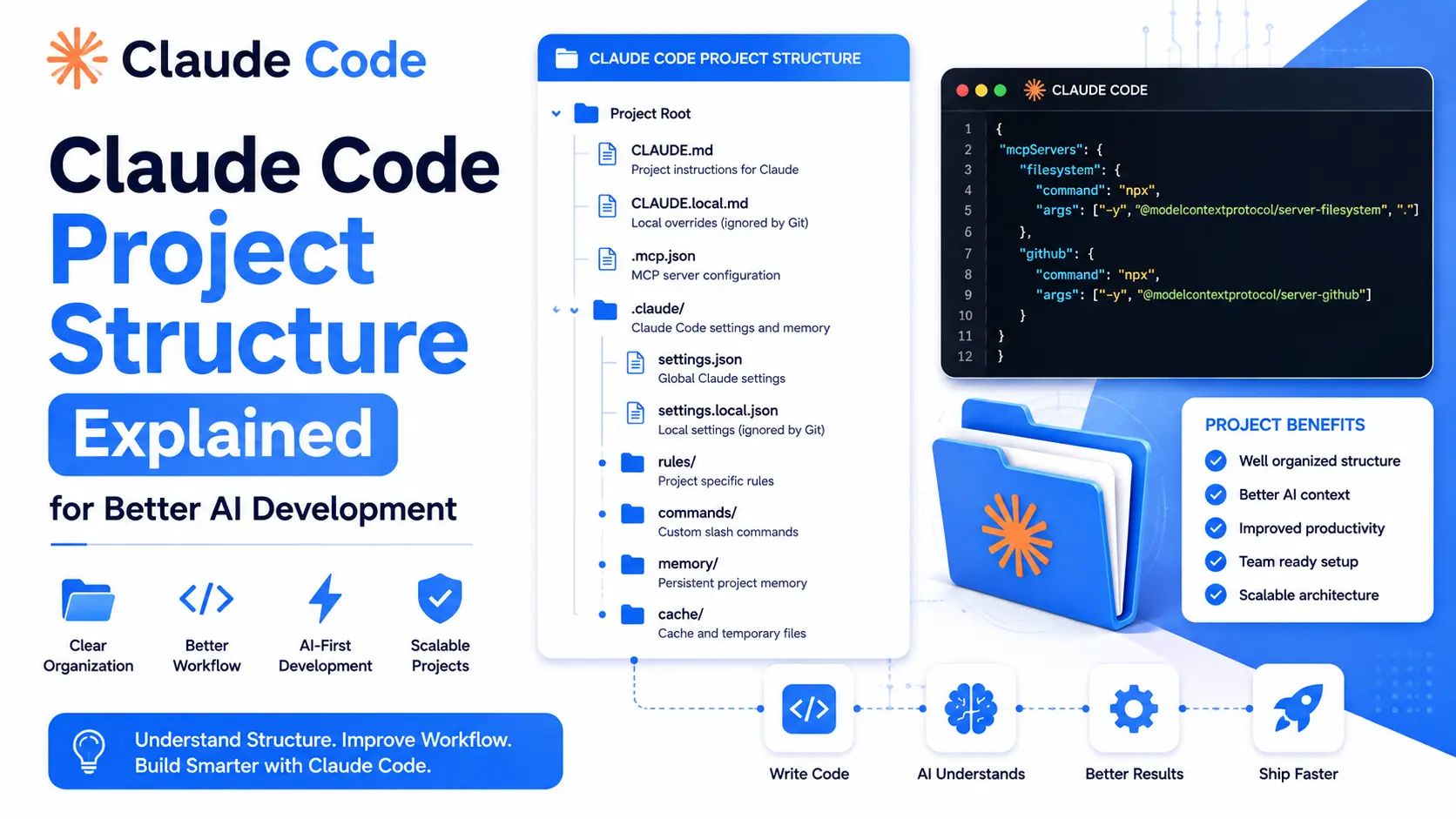
- Provide context
- Define roles
- Structure outputs
- Use Projects
- Save reusable prompts
- Build workflows
This is why understanding claude ai best practices can dramatically improve output quality.
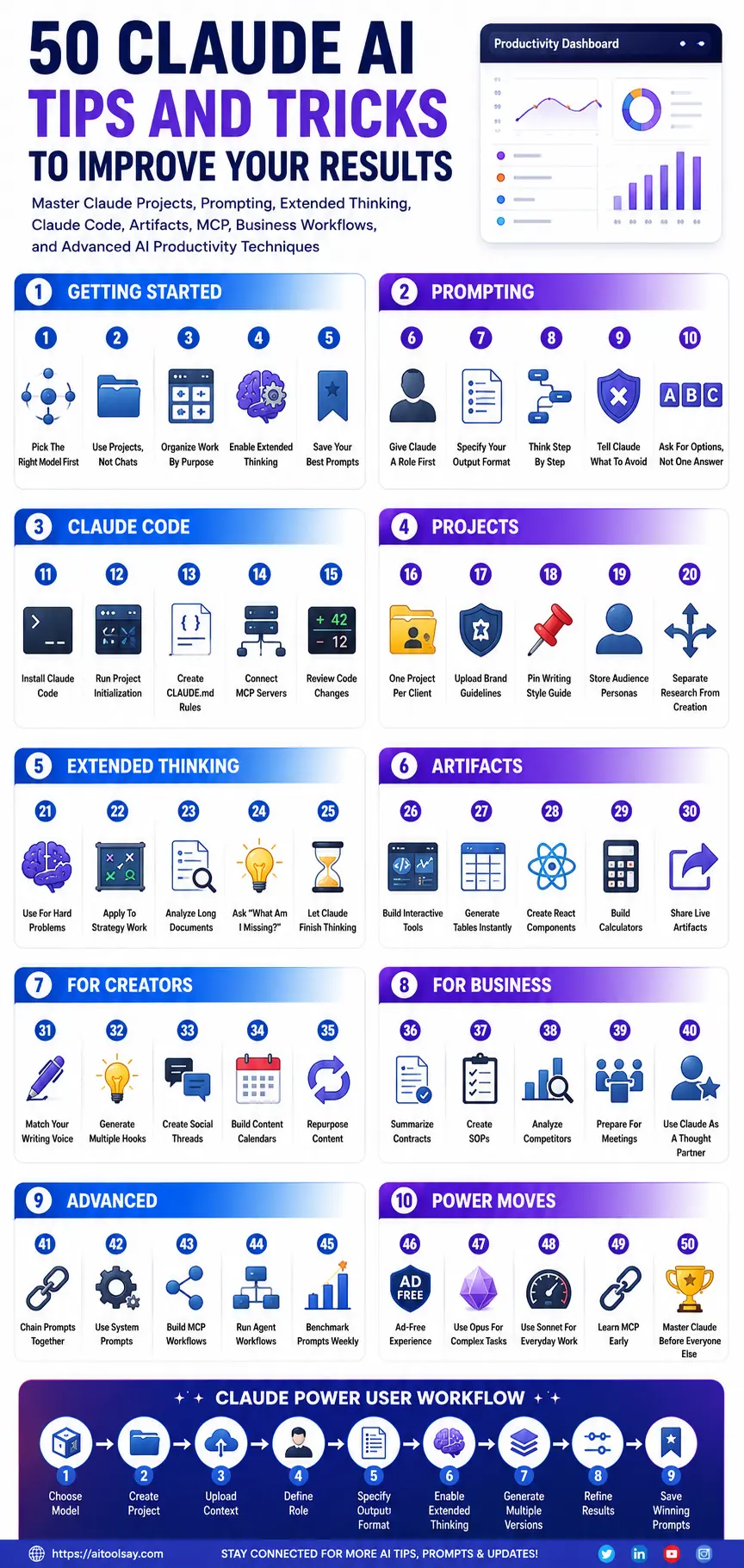
Quick Overview of the 50 Claude AI Tips and Tricks

| Category | Tips |
|---|---|
| Getting Started | 1–5 |
| Prompting | 6–10 |
| Claude Code | 11–15 |
| Projects | 16–20 |
| Extended Thinking | 21–25 |
| Artifacts | 26–30 |
| Creators | 31–35 |
| Business | 36–40 |
| Advanced | 41–45 |
| Power Moves | 46–50 |
Getting Started Tips
1. Pick the Right Model First
Not every task requires the most powerful model.
Use faster models for routine work and reserve premium models for complex analysis, research, and strategic planning.
Editable Prompt
"Act as an AI model selection consultant. I need help choosing the most appropriate Claude model for the following task: [describe task]. Evaluate complexity, reasoning requirements, expected output quality, speed needs, and budget considerations. Recommend the best model and explain why it is the most suitable choice."
2. Use Projects Instead of Standard Chats
Projects retain files, instructions, and context across conversations.
This eliminates repetitive explanations and improves consistency.
Editable Prompt
"You are my ongoing project assistant. Remember the context provided in this project and apply it to future responses. My objective is [goal]. My audience is [audience]. My preferred style is [style]. Use this information consistently unless I explicitly request changes."
3. Organize Work by Purpose
Create separate projects for different goals.
Examples include:
- Content marketing
- Client work
- Coding
- Research
- Product development
Editable Prompt
"Help me create a structured project workspace for [topic]. Recommend folders, recurring tasks, documents, templates, reference materials, and workflows that will help me maintain consistency and productivity over the long term."
4. Enable Extended Thinking
For difficult questions, Extended Thinking allows Claude to reason more deeply.
This is particularly useful for:
- Business strategy
- Technical analysis
- Research
- Problem-solving
Editable Prompt
"Analyze the following problem thoroughly before producing an answer. Consider multiple perspectives, identify assumptions, evaluate risks, compare alternatives, and provide a final recommendation supported by logical reasoning. Problem: [insert challenge]."
Claude AI Prompting Tips
5. Give Claude a Role First
Roles dramatically improve output quality.
Editable Prompt
"You are a senior [profession] with more than 15 years of experience. Your expertise includes [skills]. Analyze the following request and provide recommendations using industry best practices. Request: [insert request]."
6. Specify Output Format
Never leave formatting to chance.
Editable Prompt
"Answer the following question using this structure: Executive Summary, Key Findings, Recommendations, Risks, Action Steps, and Conclusion. Present important data in tables where appropriate. Topic: [topic]."
7. Ask Claude to Think Step by Step
This improves reasoning quality.
Editable Prompt
"Solve this problem using step-by-step reasoning. Explain assumptions, intermediate conclusions, potential alternatives, and your final recommendation. Do not skip reasoning stages. Problem: [describe issue]."
8. Tell Claude What to Avoid
Negative instructions reduce unwanted outputs.
Editable Prompt
"Complete the following task while avoiding jargon, unsupported assumptions, excessive repetition, vague recommendations, generic advice, and unnecessary filler content. Task: [insert task]."
Claude Code Tips
9. Install Claude Code Properly
Developers should begin by installing Claude Code through the terminal and configuring their environment correctly.
10. Run Initialization for New Projects
Allow Claude to understand your codebase before requesting changes.
Editable Prompt
"Analyze this codebase and create a detailed understanding of architecture, dependencies, coding conventions, file organization, and potential technical debt. Provide recommendations before making modifications."
11. Create a CLAUDE.md File
Document coding standards and expectations.
Editable Prompt
"Create a CLAUDE.md file containing coding standards, naming conventions, documentation requirements, testing procedures, security practices, and project-specific development guidelines."
12. Connect MCP Servers
MCP integrations allow Claude to access tools and data sources more effectively.
Project Management Tips
13. Create One Project per Client
Separate contexts improve consistency.
14. Upload Brand Guidelines
Claude can apply branding rules across sessions.
Editable Prompt
"Review the uploaded brand guidelines and summarize voice, tone, style, formatting, messaging priorities, audience expectations, and content restrictions. Apply these standards to all future content."
15. Pin Your Style Guide
This eliminates repeated instructions.
16. Store Audience Personas
Audience context improves personalization.
Editable Prompt
"Create a detailed audience persona including demographics, goals, pain points, motivations, objections, content preferences, purchasing triggers, and communication style for [audience]."
Extended Thinking Tips
17. Use It for Hard Problems
Not every question requires deep reasoning.
Use it selectively.
18. Apply It to Strategy Work
Business planning benefits significantly from deeper analysis.
Editable Prompt
"Act as a strategic advisor. Evaluate market opportunities, competitive positioning, growth risks, customer needs, operational challenges, and resource requirements for this business idea: [idea]."
19. Pair It with Long Documents
Upload large PDFs and request strategic summaries.
20. Ask What You're Missing
One of the most valuable prompts available.
Editable Prompt
"Review my current plan and identify blind spots, hidden risks, assumptions, overlooked opportunities, dependencies, weaknesses, and alternative approaches that should be considered. Plan: [insert plan]."
Artifacts Tips
21. Artifacts Are Interactive
Artifacts can generate functional tools inside Claude.
22. Request Tables Explicitly
Editable Prompt
"Analyze the following information and present findings in a well-structured table with clear categories, comparisons, recommendations, priorities, and next actions. Data: [insert information]."
23. Generate React Components
Useful for frontend development.
24. Build Calculators Instantly
Editable Prompt
"Create a fully functional calculator for [purpose]. Include input validation, formulas, clear labels, user-friendly interface design, and explanations for each calculated output."
Claude AI Tips for Content Creators
25. Provide Writing Samples
Claude performs best when given examples.
Editable Prompt
"Analyze the following writing samples and identify recurring patterns in tone, vocabulary, sentence structure, pacing, personality, and style. Create future content that closely matches these characteristics."
26. Generate Multiple Hooks
Never settle for one headline.
Editable Prompt
"Generate 20 high-performing hooks for the topic below. Include curiosity-driven, benefit-focused, contrarian, storytelling, authority-based, and question-based variations. Topic: [topic]."
27. Expand One Idea Into a Thread
Editable Prompt
"Convert the following idea into a structured 10-post social media thread. Ensure logical flow, strong transitions, audience engagement, and a compelling conclusion. Idea: [topic]."
28. Build Content Calendars Quickly
Editable Prompt
"Create a 30-day content calendar focused on [topic]. Include content themes, post formats, objectives, target audience stages, engagement tactics, and publication recommendations."
Claude AI Tips for Business Users
29. Summarize Contracts Efficiently
Editable Prompt
"Review the uploaded contract and identify key obligations, risks, deadlines, payment terms, termination clauses, liability concerns, compliance requirements, and negotiation opportunities."
30. Turn Notes Into SOPs
Editable Prompt
"Convert these rough notes into a professional Standard Operating Procedure. Include objectives, scope, responsibilities, step-by-step instructions, quality checks, troubleshooting guidance, and review procedures."
31. Analyze Competitor Messaging
Editable Prompt
"Review competitor messaging and identify positioning strategies, strengths, weaknesses, unique selling points, customer appeals, differentiation opportunities, and messaging gaps."
32. Prepare for Meetings Faster
Editable Prompt
"Using the following agenda, create a comprehensive meeting briefing that includes objectives, discussion points, potential concerns, stakeholder interests, expected outcomes, and recommended preparation."
Advanced Claude AI Usage
33. Chain Prompts Together
Complex tasks work best when broken into stages.
34. Use System Prompts Through APIs
Developers can improve consistency dramatically.
Editable Prompt
"You are an expert assistant operating under the following rules: [rules]. Follow these standards consistently for every response regardless of user request complexity."
35. Build MCP-Based Workflows
MCP enables real-world integrations and automation.
36. Enable Agent-Based Processes
Allow Claude to perform multi-step workflows when appropriate.
Power Moves Most Users Ignore
37. Claude Remains Ad-Free
Anthropic has stated its intention to keep Claude focused on user experience rather than advertising.
38. Use Opus for Difficult Tasks
Reserve premium reasoning for high-value work.
39. Know When Sonnet Is Enough
Many everyday tasks perform exceptionally well on Sonnet.
40. Learn MCP Early
MCP is becoming increasingly important for advanced workflows.
Sabir's take
Tip lists like this tend to assume you want to become a power user. Most people do not need to be. If you take three things from it, take model choice, front-loading context, and Projects. I have watched people adopt those three and stop asking me why their output feels generic. Everything else here is refinement: useful, but not urgent.
Frequently Asked Questions
What is the best way to improve Claude AI results?
The most effective method is combining role-based prompting, Projects, output formatting, and Extended Thinking. These techniques consistently produce higher-quality responses.
Are Projects better than regular chats?
Yes. Projects preserve context, files, instructions, and workflows, making them far more effective for ongoing work.
What is Extended Thinking in Claude?
Extended Thinking allows Claude to spend more time reasoning through difficult questions, improving analysis and decision-making quality.
The Three That Matter Most
If the list is too long to act on, take three: pick the model deliberately, front-load the context instead of drip-feeding it, and keep related work inside one Project.
Those three account for most of the difference in output quality. The rest are refinements on top.
The same habits are expanded in the longer Claude list, and the Claude Code walkthrough shows them applied to a real build.

Sabir
Founder of AIToolsay and a passionate AI enthusiast dedicated to building practical, user-friendly AI tools that simplify everyday tasks.
Discussion 0
Join the conversation — share your thoughts, ask questions, help others.
Be respectful. Comments are moderated.
No comments yet
Be the first to share your thoughts on this article.
Want more AIToolsay stories in your Google Search results?