




















How to Optimize Your LinkedIn Profile with Claude AI
A seven-step pass that audits your whole LinkedIn profile against a target role instead of polishing one line at a time. Around fifteen minutes.
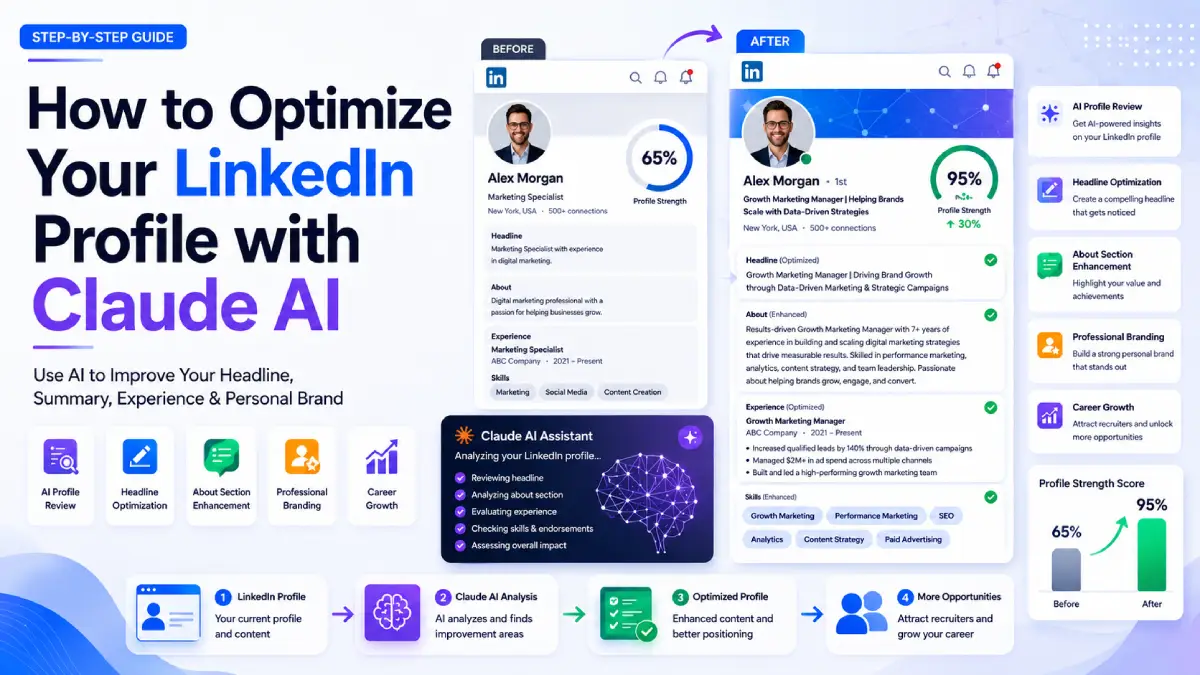
A LinkedIn profile gets read in two passes. Someone skims the headline and current role, then decides within seconds whether the rest is worth opening. Most profiles are written for that second pass and lose people during the first.
Claude helps here because it will audit the whole page against a target role rather than polishing sentences one at a time. The process below takes about fifteen minutes.
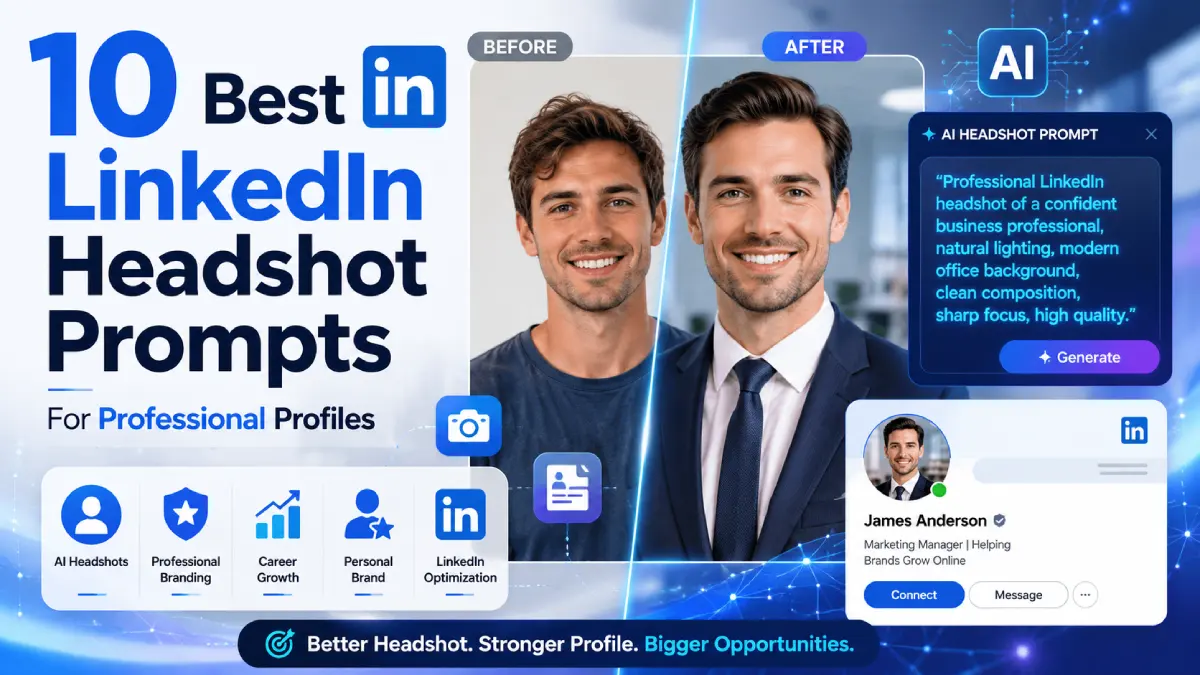
The steps below run in order and take roughly fifteen minutes end to end, using Claude and nothing else. Each step produces something the next one needs, so skipping ahead tends to waste the later prompts. The photograph is a separate job, covered in the headshot prompts.
Whether you're a job seeker, freelancer, entrepreneur, or professional looking to grow your online presence, this method can help you create a profile that gets noticed.
Why Most LinkedIn Profiles Underperform
Many professionals assume their LinkedIn profile isn't generating results because they lack experience, certifications, or achievements.
In reality, the biggest problem is often clarity.
Most profiles suffer from:
- Weak headlines
- Generic About sections
- Poorly written experience descriptions
- Missing ATS keywords
- Unclear positioning
- Lack of measurable achievements
This is where Claude AI becomes a powerful optimization partner.
Instead of simply rewriting content, Claude can analyze your profile, identify gaps, and help structure your experience in a way that recruiters, hiring managers, clients, and industry peers understand immediately.
This approach to linkedin profile optimization focuses on clarity, positioning, and discoverability rather than fancy wording.
7-Step System to Optimize Your LinkedIn Profile with Claude AI
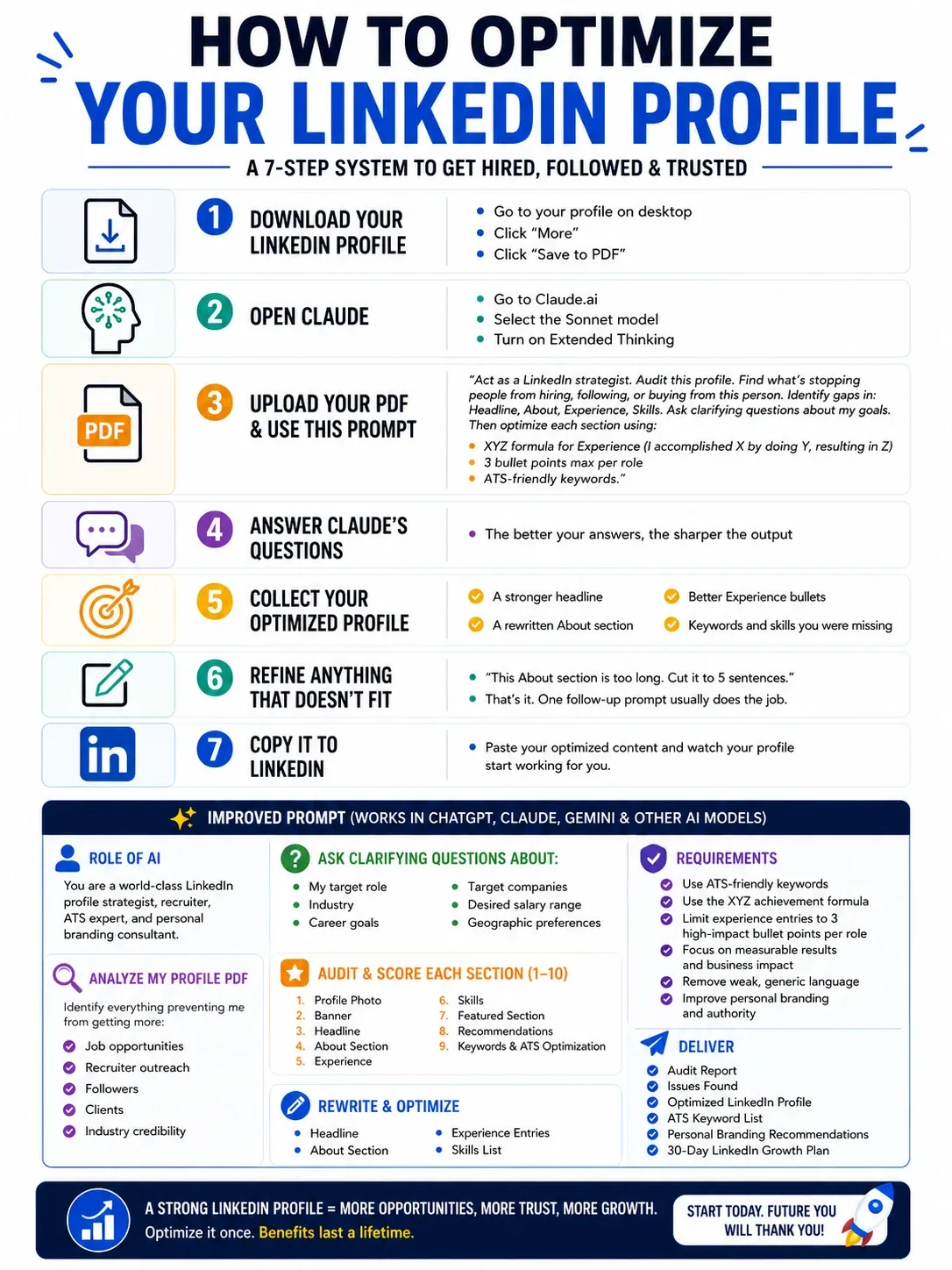
Here's the exact framework that can help you upgrade your profile in approximately 15 minutes.
Step 1: Download Your LinkedIn Profile as a PDF
Start by exporting your complete LinkedIn profile.
How to Export Your Profile
- Open LinkedIn on desktop.
- Navigate to your profile.
- Click More.
- Select Save to PDF.
This creates a complete snapshot of your current profile.
Why This Matters
You cannot optimize what you haven't fully analyzed.
Viewing your profile as a document allows Claude AI to assess it as structured data rather than scattered sections.
Step 2: Open Claude AI and Enable Extended Thinking
Visit Claude AI and select:
- Sonnet AI Model
- Extended Thinking Mode
Extended Thinking allows Claude to spend more time analyzing your profile and generating strategic recommendations.
Hidden Advantage
Most people use AI as a writing assistant.
The real value comes from using AI as a strategic consultant.
With reasoning enabled, Claude shifts from content generator to profile strategist.
Step 3: Upload Your LinkedIn PDF and Use the Audit Prompt
After uploading your PDF, use the following prompt:
LinkedIn Audit Prompt
Act as a LinkedIn strategist. Audit this profile. Find what's stopping people from hiring, following, or buying from this person. Identify gaps in:
- Headline
- About section
- Experience
- Skills
Ask clarifying questions about my goals.
Then optimize each section using:
- XYZ Formula for experience (I accomplished X by doing Y, resulting in Z)
- Maximum 3 bullet points per role
- ATS-friendly keywords
Why This Prompt Works
Most users ask AI to rewrite their profile immediately.
Instead, this prompt forces diagnosis before optimization.
This approach reveals:
- Missing keywords
- Weak positioning
- Generic language
- Poor achievement framing
- ATS visibility issues
These claude ai linkedin tips help create more meaningful improvements rather than cosmetic edits.
Step 4: Answer Claude's Clarifying Questions
This is the step many users skip.
It is also one of the most important.
Claude should ask questions about:
- Target role
- Industry
- Career goals
- Preferred companies
- Salary expectations
- Geographic preferences
Why Better Inputs Create Better Outputs
AI can only optimize based on the information provided.
When you answer these questions thoughtfully, Claude gains context about:
- Your professional goals
- Your target audience
- Your ideal opportunities
This allows the AI to create recommendations tailored specifically to your career path.
Step 5: Generate Your Optimized LinkedIn Profile
Once Claude has enough information, it can generate a complete profile overhaul.
Typical Deliverables
You should receive:
✅ A stronger headline
✅ A rewritten About section
✅ Better experience bullet points
✅ Missing keywords and skills recommendations
✅ Personal branding suggestions
Example of Weak vs Strong Experience Bullets
| Weak Bullet | Optimized XYZ Bullet |
|---|---|
| Managed marketing campaigns | Increased qualified leads by 35% by implementing targeted marketing campaigns, resulting in higher conversion rates |
| Responsible for customer support | Improved customer satisfaction scores by 20% through process improvements, resulting in faster issue resolution |
| Handled project management | Delivered 15 projects on schedule by introducing streamlined workflows, resulting in improved team productivity |
This structure supports both ATS systems and human readers.
Step 6: Refine the Output
No AI-generated content is perfect on the first attempt.
Fortunately, refinement is usually quick.
Examples of Refinement Prompts
- "Reduce the About section to five sentences."
- "Make the headline more executive-level."
- "Add more measurable achievements."
- "Use a more professional tone."
- "Focus on leadership experience."
Often, a single follow-up prompt is enough.
The Importance of Constraints
Adding specific constraints helps Claude produce cleaner, more focused content.
Instead of asking for another complete rewrite, guide the AI toward targeted improvements.
Step 7: Copy the Content Back to LinkedIn
After reviewing the final version:
- Open LinkedIn.
- Update your profile sections.
- Paste the optimized content.
- Save changes.
- Publish updates.
Your profile now communicates your value more clearly and aligns better with recruiter searches.
This final step completes the process to Optimize Your LinkedIn Profile with Claude AI.
The Advanced LinkedIn Optimization Prompt
For even deeper analysis, use this enhanced prompt:
Professional LinkedIn Audit Prompt
You are a world-class LinkedIn profile strategist, recruiter, ATS expert, and personal branding consultant.
Analyze my LinkedIn profile PDF and identify everything preventing me from getting more:
- Job opportunities
- Recruiter outreach
- Followers
- Clients
- Industry credibility
First ask clarifying questions about:
- My target role
- Industry
- Career goals
- Target companies
- Desired salary range
- Geographic preferences
Then perform a complete audit and score each section from 1-10:
- Profile Photo
- Banner
- Headline
- About Section
- Experience
- Skills
- Featured Section
- Recommendations
- Keywords & ATS Optimization
Rewrite and optimize:
- Headline
- About Section
- Experience Entries
- Skills List
Requirements:
- Use ATS-friendly keywords
- Use the XYZ achievement formula
- Limit experience entries to 3 high-impact bullet points per role
- Focus on measurable results and business impact
- Remove weak, generic language
- Improve personal branding and authority
Deliver:
- Audit Report
- Issues Found
- Optimized LinkedIn Profile
- ATS Keyword List
- Personal Branding Recommendations
- 30-Day LinkedIn Growth Plan
Present the final output in a clean, copy-paste-ready format.
LinkedIn Headline Examples Generated by Claude AI
Your headline is one of the most important sections on LinkedIn.
Here are some strong linkedin headline examples.
Software Engineer
Senior Software Engineer | Building Scalable Cloud Applications | AWS, Python, Microservices
Marketing Professional
Growth Marketing Specialist | Driving Revenue Through SEO, Content & Performance Marketing
Project Manager
Project Manager | Delivering High-Impact Technology Initiatives | Agile & Digital Transformation
Freelancer
Freelance Content Strategist | Helping SaaS Brands Grow Through SEO-Driven Content
These headlines clearly communicate expertise and value.
Professional Profile Improvement Checklist
Use this checklist to evaluate your profile.
| Section | What to Improve |
|---|---|
| Headline | Focus on value and expertise |
| About Section | Tell a concise professional story |
| Experience | Use measurable achievements |
| Skills | Add industry-relevant keywords |
| Banner | Reinforce your personal brand |
| Featured Section | Showcase best work |
| Recommendations | Add social proof |
| Keywords | Improve ATS visibility |
Consistently reviewing these elements supports long-term professional profile improvement.
AI Doesn't Replace Personal Branding
Many people believe AI is replacing branding consultants or copywriters.
That's not what happens here.
The biggest transformation comes from removing friction.
AI Execution Gap
Most professionals already know their value.
The challenge is translating that value into a structured system that communicates effectively.
The gap exists between:
- Knowing your expertise
- Explaining your expertise
Claude AI helps bridge that gap.
Why This Method Works ?
The outcome is not better because AI writes for you.
The outcome improves because AI structures your information.
In approximately 15 minutes, you can achieve:
- Clearer positioning
- Stronger messaging
- Better keyword alignment
- Improved visibility
- Enhanced recruiter discoverability
That is the true power behind linkedin profile writing with AI assistance.
Sabir's take
The audit step is the one worth slowing down on. Claude will cheerfully turn a profile that was thin on specifics into something well structured that still says nothing, because there was nothing concrete to work with. I gather the numbers, the named projects and the real outcomes first, then run the process. Fifteen minutes of preparation is what makes the rewrite worth having.
Frequently Asked Questions
Yes. Claude AI can audit your profile, identify weaknesses, suggest ATS-friendly keywords, improve positioning, and rewrite sections using achievement-focused frameworks.
Most users can complete the process in approximately 15 minutes, including uploading the PDF, answering clarification questions, reviewing recommendations, and updating LinkedIn.
The XYZ formula structures achievements as:
"I accomplished X by doing Y, resulting in Z."
It helps demonstrate impact rather than simply listing responsibilities.
Absolutely. Recruiters, consultants, entrepreneurs, freelancers, and job seekers can all benefit from stronger positioning and improved profile clarity.
Yes. Using relevant keywords, clear job titles, measurable achievements, and optimized skills can improve discoverability in recruiter searches and applicant tracking systems.
Where This Falls Short
Claude can only work with what you give it. If the raw profile is thin on specifics, the rewrite will be well-structured and still say nothing, because there was nothing concrete to keep.
Gather the details first: numbers, named projects, actual outcomes. The editing is the easy half.
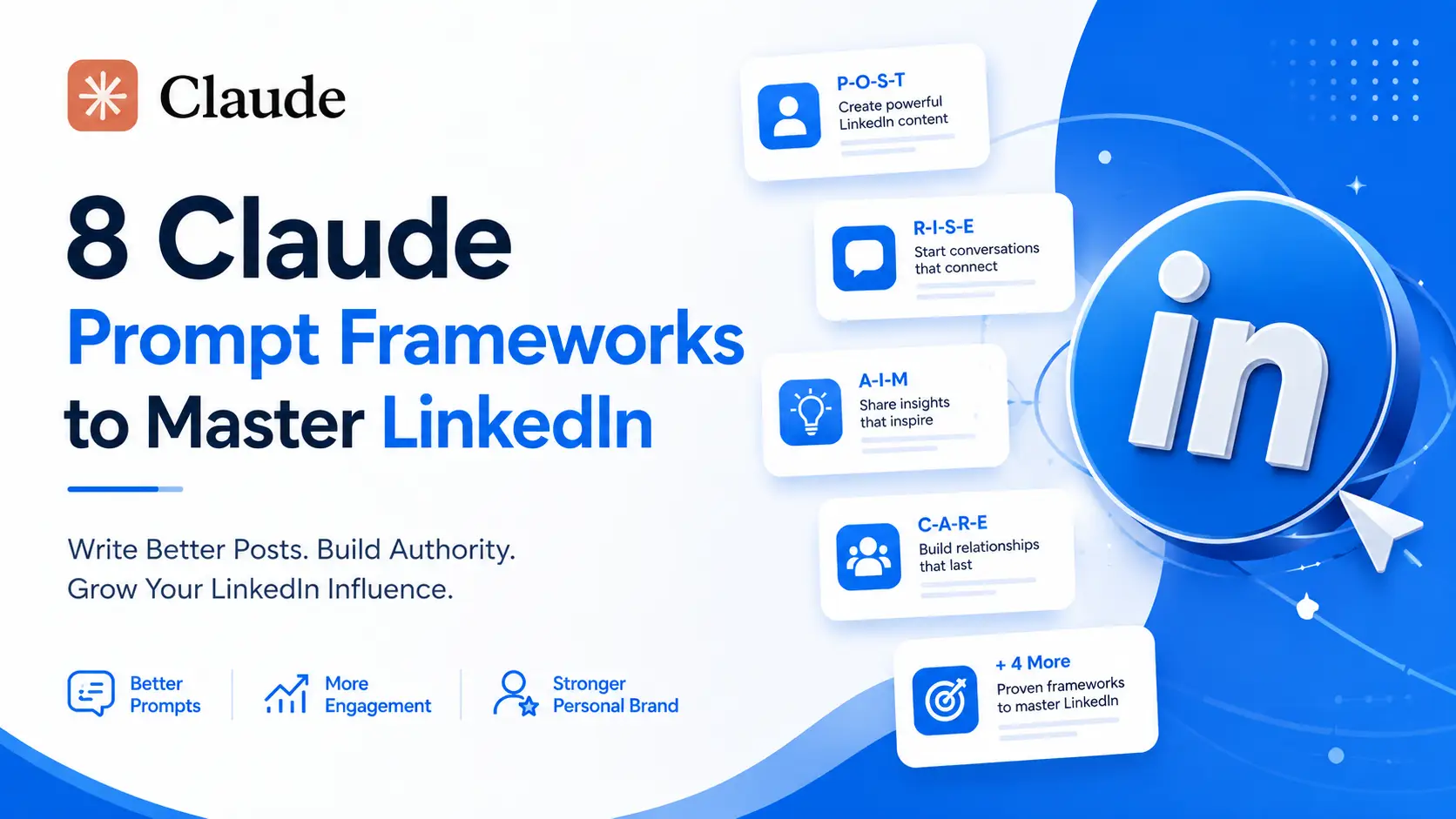
The posting side is covered by the Claude frameworks for LinkedIn, and the headshot prompts handle the photo. Export the profile from LinkedIn before you start.

Sabir
Founder of AIToolsay and a passionate AI enthusiast dedicated to building practical, user-friendly AI tools that simplify everyday tasks.
Discussion 0
Join the conversation — share your thoughts, ask questions, help others.
Be respectful. Comments are moderated.
No comments yet
Be the first to share your thoughts on this article.
Want more AIToolsay stories in your Google Search results?